How to Author Complex Technical Markdown Blogs: The Complete MDX Specification & Runbook
A comprehensive developer guide and live reference runbook for authoring rich, interactive MDX articles with multi-language code blocks, OS terminal switchers, media facades, and callouts.
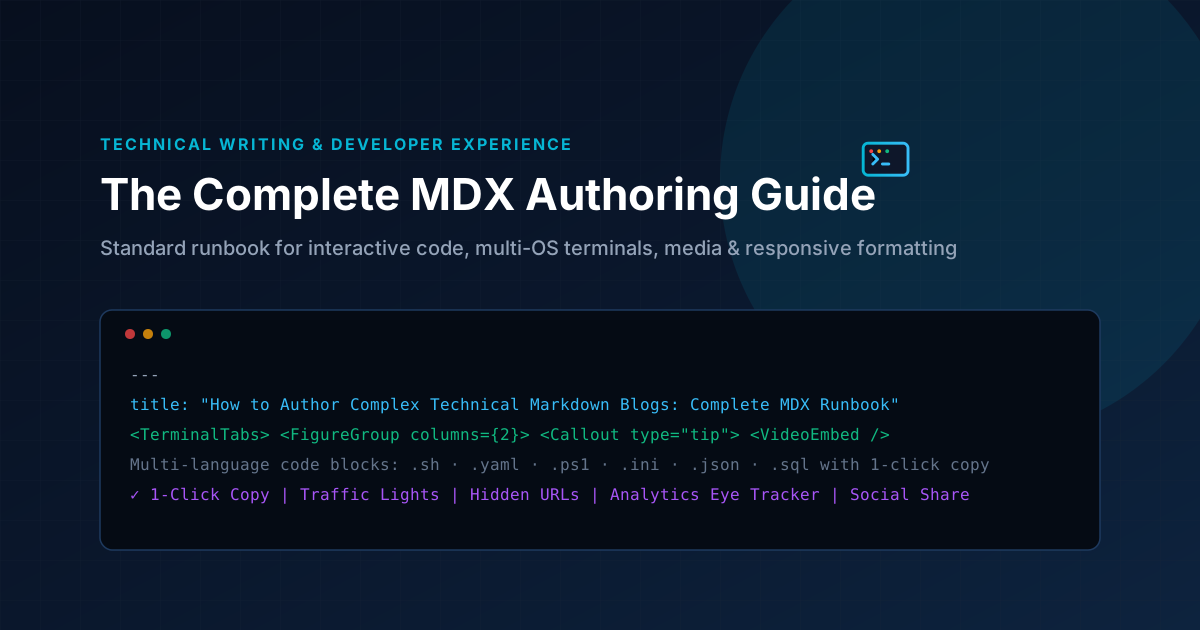
Technical writing is often weighed down by raw, hard-to-read walls of text. When you are writing infrastructure runbooks, architecture breakdowns, or deployment tutorials, readers encounter code across heterogeneous operating systems (Windows, macOS, Linux), diverse configuration formats (.yaml, .json, .ini), shell scripts (.sh, .ps1), diagrams, and interactive media.
At Legion Mind, every blog post and project case study is powered by strict, interactive MDX (Markdown with JSX components). This guide provides our complete, standard authoring specification.
Below, every technical concept is presented in a two-part pattern: how you write the MDX source code, followed immediately by its live rendered preview.
1. Multi-OS Terminal Command Switcher
When instructing engineers on how to install software or run CLI commands across platforms, never create repetitive back-to-back paragraphs. Use the <TerminalTabs> and <TerminalTab> components. They provide instant platform switching and one-click clipboard copying.
How to write it in your .mdx file:
<TerminalTabs>
  <TerminalTab label="Ubuntu / Debian" language="bash">
sudo apt-get update && sudo apt-get install -y docker-ce docker-compose-plugin
sudo systemctl enable --now docker
  </TerminalTab>
  <TerminalTab label="macOS (Homebrew)" language="bash">
brew install colima docker docker-compose
colima start --cpu 4 --memory 8
  </TerminalTab>
  <TerminalTab label="Windows (PowerShell)" language="powershell">
winget install Docker.DockerDesktop
Start-Process "C:\Program Files\Docker\Docker\Docker Desktop.exe"
  </TerminalTab>
</TerminalTabs>
Live Rendered Output:
sudo apt-get update && sudo apt-get install -y docker-ce docker-compose-plugin
sudo systemctl enable --now docker
2. Multi-Language Scripts and Configuration Files
Technical documentation frequently involves multiple programming and scripting languages. Standard 3-backtick fenced blocks with specific language tags (bash, yaml, json, ini, powershell, sql) automatically render our dark-mode terminal chrome with badge titles and click-to-copy functionality.
2.1 Bash Shell Automation (.sh)
How to write in MDX:
```bash
#!/usr/bin/env bash
set -euo pipefail

# Health check script for production reverse proxy
SERVER_URL="https://api.legionmind.si/health"
HTTP_STATUS=$(curl -s -o /dev/null -w "%{http_code}" "$SERVER_URL")

if [ "$HTTP_STATUS" -eq 200 ]; then
  echo "✅ [SUCCESS] Health check passed (HTTP $HTTP_STATUS)"
else
  echo "❌ [ALERT] Server unreachable (HTTP $HTTP_STATUS)" >&2
  exit 1
fi
```
Live Rendered Output:
#!/usr/bin/env bash
set -euo pipefail

# Health check script for production reverse proxy
SERVER_URL="https://api.legionmind.si/health"
HTTP_STATUS=$(curl -s -o /dev/null -w "%{http_code}" "$SERVER_URL")

if [ "$HTTP_STATUS" -eq 200 ]; then
  echo "✅ [SUCCESS] Health check passed (HTTP $HTTP_STATUS)"
else
  echo "❌ [ALERT] Server unreachable (HTTP $HTTP_STATUS)" >&2
  exit 1
fi
2.2 Docker & Kubernetes Manifests (.yaml / .yml)
How to write in MDX:
```yaml
version: "3.9"

services:
  app:
    image: legionmind/production-core:latest
    restart: always
    ports:
      - "3000:3000"
    environment:
      NODE_ENV: production
      PORT: 3000
    deploy:
      resources:
        limits:
          cpus: "1.50"
          memory: 1024M
    healthcheck:
      test: ["CMD", "wget", "-qO-", "http://localhost:3000/api/health"]
      interval: 30s
      timeout: 5s
      retries: 3
```
Live Rendered Output:
version: "3.9"

services:
  app:
    image: legionmind/production-core:latest
    restart: always
    ports:
      - "3000:3000"
    environment:
      NODE_ENV: production
      PORT: 3000
    deploy:
      resources:
        limits:
          cpus: "1.50"
          memory: 1024M
    healthcheck:
      test: ["CMD", "wget", "-qO-", "http://localhost:3000/api/health"]
      interval: 30s
      timeout: 5s
      retries: 3
2.3 Windows PowerShell Automation (.ps1)
How to write in MDX:
```powershell
# Automated IIS and SSL Certificate Binder
[CmdletBinding()]
param (
    [Parameter(Mandatory=$true)]
    [string]$DomainName,
    [string]$CertThumbprint
)

Write-Host "🔄 Binding SSL certificate ($CertThumbprint) to $DomainName..." -ForegroundColor Cyan
New-WebBinding -Name "Default Web Site" -IP "*" -Port 443 -Protocol https -HostHeader $DomainName
Get-Item -Path "cert:\LocalMachine\My\$CertThumbprint" | New-Item -Path "IIS:\SslBindings\0.0.0.0!443!$DomainName"
Write-Host "✅ SSL binding applied successfully." -ForegroundColor Green
```
Live Rendered Output:
# Automated IIS and SSL Certificate Binder
[CmdletBinding()]
param (
    [Parameter(Mandatory=$true)]
    [string]$DomainName,
    [string]$CertThumbprint
)

Write-Host "🔄 Binding SSL certificate ($CertThumbprint) to $DomainName..." -ForegroundColor Cyan
New-WebBinding -Name "Default Web Site" -IP "*" -Port 443 -Protocol https -HostHeader $DomainName
Get-Item -Path "cert:\LocalMachine\My\$CertThumbprint" | New-Item -Path "IIS:\SslBindings\0.0.0.0!443!$DomainName"
Write-Host "✅ SSL binding applied successfully." -ForegroundColor Green
2.4 Server Configuration Files (.ini / .conf)
How to write in MDX:
```ini
; Legion Mind Production PHP-FPM Configuration
[global]
pid = /run/php/php8.3-fpm.pid
error_log = /var/log/php8.3-fpm.log
log_level = warning

[www]
user = www-data
group = www-data
listen = /run/php/php8.3-fpm.sock
listen.owner = www-data
listen.group = www-data
listen.mode = 0660

pm = dynamic
pm.max_children = 50
pm.start_servers = 10
pm.min_spare_servers = 5
pm.max_spare_servers = 15
pm.max_requests = 1000
```
Live Rendered Output:
; Legion Mind Production PHP-FPM Configuration
[global]
pid = /run/php/php8.3-fpm.pid
error_log = /var/log/php8.3-fpm.log
log_level = warning

[www]
user = www-data
group = www-data
listen = /run/php/php8.3-fpm.sock
listen.owner = www-data
listen.group = www-data
listen.mode = 0660

pm = dynamic
pm.max_children = 50
pm.start_servers = 10
pm.min_spare_servers = 5
pm.max_spare_servers = 15
pm.max_requests = 1000
2.5 REST API JSON Payloads (.json)
How to write in MDX:
```json
{
  "status": "healthy",
  "service": "legionmind-edge-gateway",
  "version": "2.4.1",
  "metrics": {
    "uptimeSeconds": 1849200,
    "activeConnections": 412,
    "p99LatencyMs": 14.8
  },
  "regions": ["fra1", "lhr1", "iad1"]
}
```
Live Rendered Output:
{
  "status": "healthy",
  "service": "legionmind-edge-gateway",
  "version": "2.4.1",
  "metrics": {
    "uptimeSeconds": 1849200,
    "activeConnections": 412,
    "p99LatencyMs": 14.8
  },
  "regions": ["fra1", "lhr1", "iad1"]
}
3. Highlighting Links: Internal vs. External Best Practices
Never paste raw naked URLs (such as https://docs.docker.com/engine/install/) directly into text. Instead, use clean descriptive anchor text that seamlessly integrates into the sentence.
Our custom link component automatically:
- Detects external URLs and appends an external link indicator.
- Applies secure attributes (
target="_blank"andrel="noopener noreferrer"). - Maintains WCAG AA compliant electric-cyan hover highlights.
How to write links in MDX:
For high-traffic deployments, consult the official [Docker Engine Production Documentation](https://docs.docker.com/engine/) or inspect our internal [DevOps Consulting Services](/services) to schedule an architecture review.
Live Rendered Output:
For high-traffic deployments, consult the official Docker Engine Production Documentation or inspect our internal DevOps Consulting Services to schedule an architecture review.
4. Alert Callouts (Tip, Info, Warning, Danger)
When highlighting critical takeaways, caveats, or security considerations, use the <Callout> component rather than standard blockquotes.
4.1 Tip Callout
How to write in MDX:
<Callout type="tip" title="Pro-Tip: SSH Key Hardening">
Always disable password authentication on public VPS instances. Generate an Ed25519 keypair with `ssh-keygen -t ed25519 -a 100` for superior performance and cryptographic resilience.
</Callout>
Live Rendered Output:
Always disable password authentication on public VPS instances. Generate an Ed25519 keypair with ssh-keygen -t ed25519 -a 100 for superior performance and cryptographic resilience.
4.2 Warning Callout
How to write in MDX:
<Callout type="warning" title="Warning: Database Migrations in Zero-Downtime CI/CD">
Never drop or rename existing database columns in the same release as your application code change. Follow the expand/contract pattern: add new columns first, migrate data, and deprecate old columns in a subsequent release.
</Callout>
Live Rendered Output:
Never drop or rename existing database columns in the same release as your application code change. Follow the expand/contract pattern: add new columns first, migrate data, and deprecate old columns in a subsequent release.
4.3 Danger Callout
How to write in MDX:
<Callout type="danger" title="Critical: Production Firewall Rule Order">
Ensure your default DROP policy is defined only after establishing explicit ALLOW rules for SSH (port 22) and administrative subnets. Misconfigured iptables or UFW scripts can lock you out of your host.
</Callout>
Live Rendered Output:
Ensure your default DROP policy is defined only after establishing explicit ALLOW rules for SSH (port 22) and administrative subnets. Misconfigured iptables or UFW scripts can lock you out of your host.
5. Media & Visual Assets: Figures and Image Lightboxes
Never use unstyled raw HTML <img> tags in your MDX documents. Standardize all diagram and architecture previews with the <Figure> and <FigureGroup> components.
- Wrapped in
<Figure>, images feature automated aspect ratios, high-contrast captions, and border glass styling. - Wrapped in
<FigureGroup>, multi-step screenshots enable our keyboard-navigable, full-resolution lightbox viewer.
How to write a Figure in MDX:
<Figure
  src="/images/blog/how-to-write-complex-technical-markdown-blogs/cover.svg"
  alt="MDX Technical Architecture Reference Diagram"
  caption="Figure 1: Standardized visual architecture for multi-platform technical documentation."
/>
Live Rendered Output:
6. Lightweight Video Embeds (Zero-Bandwidth Facades)
To protect page load performance (Core Web Vitals) and eliminate third-party tracking scripts before user consent, we enforce the YouTube-lite facade pattern via <VideoEmbed>.
Rather than loading heavy <iframe> elements immediately on page load, <VideoEmbed> renders a lightweight poster thumbnail with a play button. The actual player is initialized only after the reader explicitly clicks play.
How to write a Video Embed in MDX:
<VideoEmbed
  src="https://www.youtube-nocookie.com/embed/dQw4w9WgXcQ"
  title="Technical Walkthrough & Architecture Demo"
  poster="/images/blog/how-to-write-complex-technical-markdown-blogs/cover.svg"
  provider="youtube"
/>
Live Rendered Output:
7. Comparative Data Tables & Structured Matrices
Use standard Markdown tables when comparing tools, protocols, or SLA benchmarks. Our typography engine automatically renders them inside responsive horizontal wrappers with high-contrast header borders.
How to write a table in MDX:
| Capability / Stack | Legacy Markdown | Legion Mind Modern MDX |
| :----------------- | :-------------- | :--------------------- |
| **Multi-OS Switcher** | Not supported (repetitive text) | `<TerminalTabs>` with 1-click copy |
| **Config Syntax** | Plain mono text | Syntax-highlighted `.yaml`, `.ini`, `.ps1` |
| **Embed Weight** | Heavy 3MB+ iframes | On-demand lazy facade (< 50KB) |
| **Alert Boxes** | Indented blockquotes | Dynamic `<Callout>` with contextual badges |
| **Analytics & Sharing** | External tracker scripts | Built-in eye view counter & 1-click sharing |
Live Rendered Output:
| Capability / Stack | Legacy Markdown | Legion Mind Modern MDX |
|---|---|---|
| Multi-OS Switcher | Not supported (repetitive text) | <TerminalTabs> with 1-click copy |
| Config Syntax | Plain mono text | Syntax-highlighted .yaml, .ini, .ps1 |
| Embed Weight | Heavy 3MB+ iframes | On-demand lazy facade (< 50KB) |
| Alert Boxes | Indented blockquotes | Dynamic <Callout> with contextual badges |
| Analytics & Sharing | External tracker scripts | Built-in eye view counter & 1-click sharing |
8. Authoring Checklist & Publishing Runbook
Before publishing any new article in content/blog/*.mdx:
- Frontmatter Validation: Ensure
title,description,readTime,topic,author,coverImage, andtagsare provided. - Terminal Clarity: Commands for different operating systems are isolated inside
<TerminalTabs>. - Link Safety: Naked URLs are replaced with semantic anchor text; external links are verified.
- Asset Verification: Images are located under
/public/images/blog/<slug>/and wrapped with<Figure>. - Build Verification: Run
pnpm type-check && pnpm lint && pnpm buildto guarantee zero compile or hydration warnings. - Live Engagement: Confirm that reader views (open eye counter) and social share options appear seamlessly in the header and footer.
Production Runbooks & Architecture Notes
Monthly technical dispatches covering Linux VPS hardening, strict DMARC deliverability, Next.js optimization, and cloud operations. Zero sales fluff.