

Mastering Linux Users and Groups Management: A Practical Guide to Role-Based Access Control
A comprehensive administrator guide to managing Linux users, secondary groups, sudoers privileges, and implementing role-based access control (RBAC).
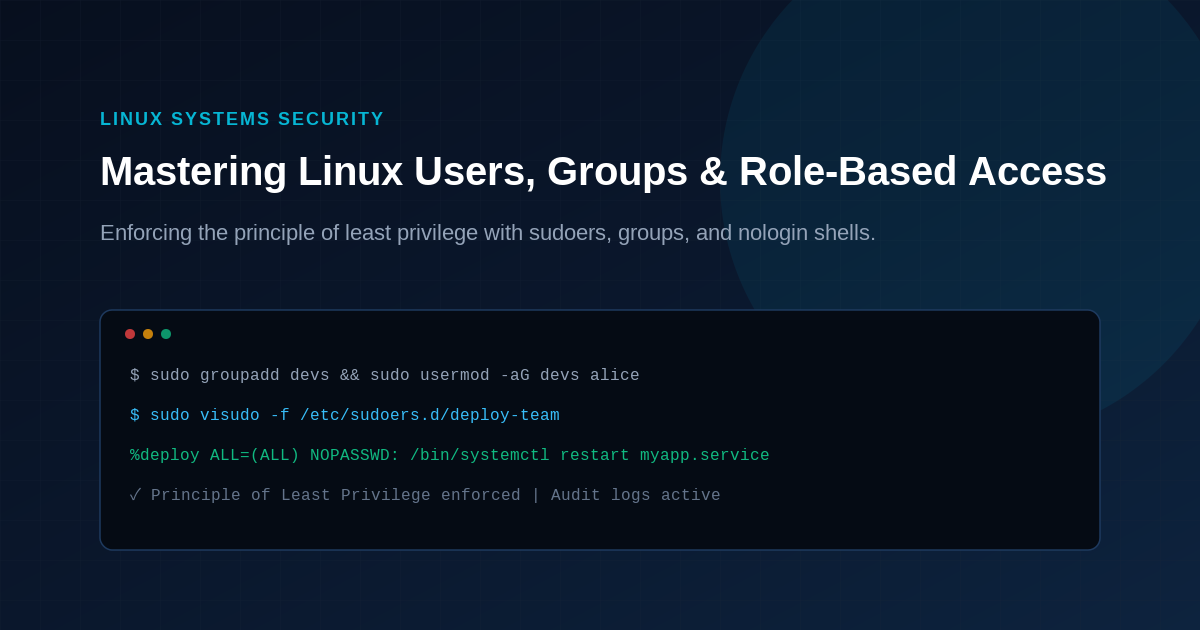
Mastering Linux Users and Groups Management: A Practical Guide to Role-Based Access Control — Legion Mind Architecture Dispatch
Key Architecture Takeaways
- Enforce the Principle of Least Privilege across root, system, and regular user accounts.
- Assign permissions collectively through primary and secondary group memberships.
- Use visudo with NOPASSWD directives restricted to specific service control binaries.
- Lock down unattended service accounts by setting shells to /sbin/nologin.
In any production Linux environment, managing users and groups is far more than a routine administrative task—it is the foundational cornerstone of server security, audit compliance, and system operational integrity. Whether you are administering a multi-tenant cloud VPS, an on-premise hypervisor, or containerized build agents, understanding user types, group inheritance, and least-privilege delegation is vital.
In this guide, we explore the essentials of Linux user and group management, how to implement Role-Based Access Control (RBAC), and how to lock down unauthorized shell access.
1. Types of Users in Linux
Linux systems classify accounts into three core tiers based on User Identifiers (UID):
1. The Root Superuser
- UID:
0 - Privileges: Unrestricted system-wide authority. Root can bypass all filesystem permissions, mount block devices, and terminate any kernel process.
- Operational Rule: Direct root SSH logins should always be disabled in
/etc/ssh/sshd_config(PermitRootLogin no). Administrative actions must be performed viasudo.
2. System and Service Accounts
- UID Range: Typically
1–999(on modern Debian/Ubuntu) or1–499(on RHEL/CentOS). - Purpose: Created automatically during package installation to isolate daemons (e.g.,
www-data,nginx,postgres,redis). - Security Lockdown: These accounts must never have an interactive shell. Their login shell is set to
/usr/sbin/nologinor/bin/false.
3. Regular Interactive Users
- UID Range:
1000+ - Purpose: Assigned to human engineers, developers, and deployment automation scripts.
- Privileges: Restricted to their own home directory (
/home/<username>) and world-readable system files unless explicitly granted elevated rights.
2. Managing Users and Groups
Groups allow system administrators to manage permissions collectively rather than maintaining discrete access control lists for individual accounts.
- Primary Group (GID): Assigned at account creation. Any file created by the user is automatically owned by this group.
- Secondary (Supplementary) Groups: Additional group memberships providing access to shared project trees, docker sockets, or administrative tools.
Core User and Group Commands
# 1. Create a dedicated team group
sudo groupadd developers

# 2. Create a new user with home directory and bash shell
sudo useradd -m -s /bin/bash -g developers -c "Alice Engineer" alice

# 3. Set or update the account password
sudo passwd alice

# 4. Append user to supplementary groups (CRITICAL: always use -a with -G)
sudo usermod -aG sudo,docker alice

# 5. Verify effective group memberships
groups alice
id alice
[!WARNING] The
usermod -GDanger: When adding a user to a supplementary group, always include the-a(append) flag. Runningsudo usermod -G docker alicewithout-awill silently remove the user from all other secondary groups, includingsudo!
3. Implementing Role-Based Access Control (RBAC)
Role-Based Access Control in Linux maps operational job duties to discrete Linux groups. Instead of granting blanket root access, assign users to functional role groups:
| Role | System Group | Access Scope & Delegated Rights |
|---|---|---|
| Backend Developer | devs | Read/write access to /var/www/staging, Git repository checkout |
| Database Administrator | dbadmins | Management of PostgreSQL/MySQL sockets and database dump directories |
| Security Auditor | auditors | Read-only access to /var/log/* and system journal logs via systemd-journal |
| CI/CD Deployment Agent | deploy | Scoped permissions to deploy code and reload application systemd units |
4. Granular Privilege Escalation via Sudoers
The sudoers file controls which users and groups can execute commands with superuser privileges. Never edit /etc/sudoers directly with a standard text editor—always use visudo, which validates syntax before saving to prevent lockout.
sudo visudo -f /etc/sudoers.d/developers
Granular Sudo Rule Examples
# Allow members of group 'devs' to view system logs and restart specific services
%devs ALL=(ALL) /bin/journalctl, /bin/systemctl restart nginx.service, /bin/systemctl status nginx.service

# Allow the deployment agent to restart the app service without prompting for a password
%deploy ALL=(ALL) NOPASSWD: /bin/systemctl restart webapp.service, /bin/systemctl reload webapp.service
5. Locking Down Service and Inactive Accounts
Preventing unauthorized lateral movement requires strict boundary enforcement:
1. Restrict Directory Permissions
# Ensure sensitive staging directories are accessible only by owner and group
sudo chmod 750 /srv/app-staging
sudo chown -R deploy:devs /srv/app-staging
2. Disable Interactive Shells for Service Accounts
# Prevent service accounts from ever opening a terminal session
sudo usermod -s /usr/sbin/nologin ftpuser
3. Expire or Lock Inactive Human Accounts
# Lock user account password
sudo passwd -l tempcontractor

# Check account expiration and aging status
sudo chage -l alice
6. Enterprise Best Practices Checklist
- Principle of Least Privilege: Never add engineers directly to the generic
sudoorwheelgroup if they only require access to specific services. - Audit Sudo Activity: Monitor
/var/log/auth.log(Debian/Ubuntu) or/var/log/secure(RHEL/CentOS) for all executed sudo commands. - Automate with Infrastructure as Code: Define user accounts, SSH public keys, and group mappings in Ansible playbooks rather than manual CLI commands.
- Regular Membership Audits: Run quarterly reviews of
/etc/groupto revoke access for offboarded team members.
Conclusion
Managing users and groups in Linux is an active defensive discipline. By structuring users into role-based groups, enforcing strict least-privilege sudoers directives, and disabling shell access on service accounts, you eliminate the vast majority of accidental misconfigurations and unauthorized privilege escalations across your infrastructure.
Related Technical Dispatches

Production Runbooks & Architecture Notes
Monthly technical dispatches covering Linux VPS hardening, strict DMARC deliverability, Next.js optimization, and cloud operations. Zero sales fluff.