What Actually Moves the Needle on Core Web Vitals in Next.js 15
A developer's checklist for sub-second LCP, zero CLS, and low INP on Next.js 15 without installing bloated performance libraries.
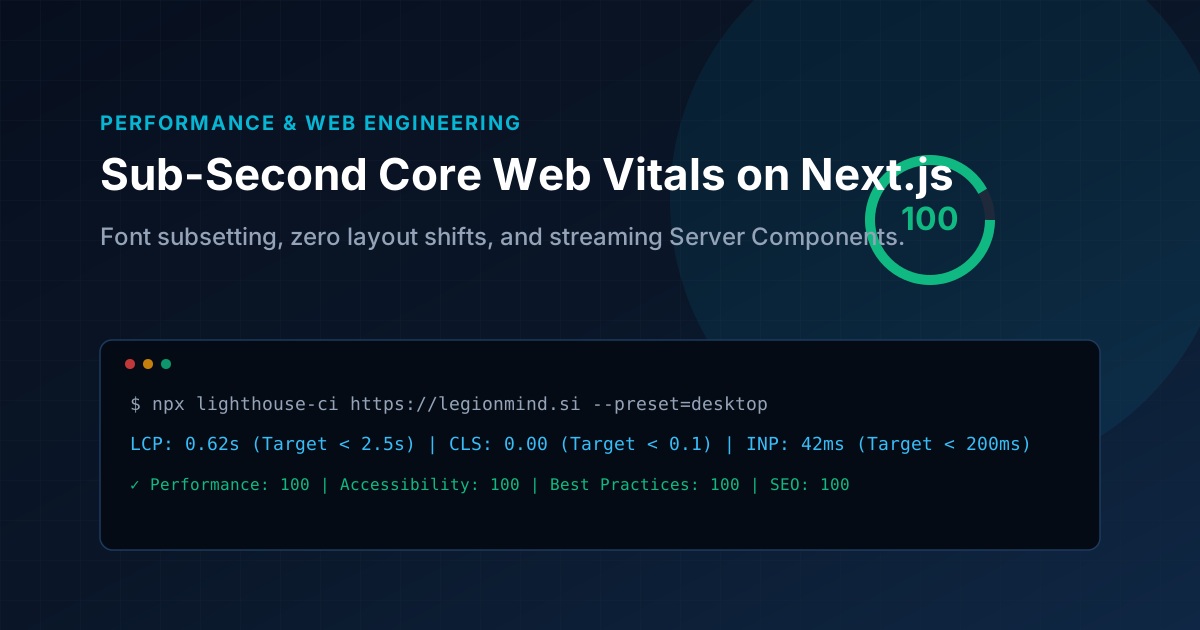
Key Architecture Takeaways
- Optimizing Largest Contentful Paint (LCP) with priority preload and minimal client JavaScript.
- Eliminating Cumulative Layout Shift (CLS) with aspect-ratio preservation.
- Tuning Interaction to Next Paint (INP) by offloading non-critical work outside the main thread.
- Streaming HTML chunks via React 19 Suspense boundaries.
Stop Installing "Speed Optimization" Packages
Whenever an agency or developer complains that their Next.js app has poor Lighthouse scores, the culprit is rarely Next.js itself. Nine times out of ten, they tried to fix sluggish metrics by installing third-party optimization scripts, massive animation suites, or client-side analytics wrappers that ballooned their bundle size.
Web performance is not about clever hacks. It is about understanding what happens between the moment a user taps a link and the moment pixels illuminate their screen.
Here is what actually moves the needle on Core Web Vitals in Next.js 15, based on benchmarks across our client deployments.
1. Largest Contentful Paint (LCP): Preload What Matters, Lazy-Load the Rest
LCP measures when the largest visual element in the viewport finishes rendering. On modern websites, this is almost always a hero heading or a featured cover image.
The Two Most Common LCP Mistakes:
- Lazy-loading the hero image: Adding
loading="lazy"to your top banner forces Chrome to wait until layout calculations complete before fetching the image file. Always addpriority={true}orloading="eager"to above-the-fold images. - Serving massive raster images: Using an uncompressed 2MB PNG for a simple visual banner adds an unavoidable 300ms network penalty on mobile 4G networks. Convert diagrammatic assets to lightweight inline SVGs or modern AVIF formats under 40KB.
// Correct above-the-fold image handling in Next.js
<Image
  src="/images/hero-banner.svg"
  alt="System Architecture"
  fill
  priority={true}
  sizes="(max-width: 768px) 100vw, 1200px"
  className="object-cover"
/>
When you pass priority={true}, Next.js automatically injects a <link rel="preload"> tag into the HTML <head>. The browser starts downloading the image concurrently while parsing HTML, shaving hundreds of milliseconds off your LCP metric.
2. Cumulative Layout Shift (CLS): Stop Shifting the DOM
CLS occurs when elements jump around on screen while resources load asynchronously. Common offenders include:
- Late-loading web fonts: The browser renders fallback system text, then swaps to your custom Google Font with different letter metrics, jarringly pushing paragraphs downward (FOUT).
- Images without aspect ratios: An image loads and suddenly expands from 0px height to 400px height.
How to eliminate CLS completely:
- Use
next/fontwith zero-layout-shift font fallbacks: Next.js automatically computes fallback metric overrides (adjusting letter-spacing and ascent) so the fallback font occupies the exact same geometric box as your custom font. - Explicit CSS aspect ratios: Always constrain image containers with CSS
aspect-[16/9]or fixed dimensions so the layout engine reserves the space upfront before the image data arrives over the wire.
// Zero-CLS Container Pattern
<div className="relative aspect-[16/9] w-full rounded-xl overflow-hidden bg-slate-900/40">
  <Image src={coverUrl} alt={title} fill sizes="100vw" />
</div>
3. Interaction to Next Paint (INP): Keep Client JavaScript Small
INP replaced First Input Delay (FID) as a core ranking signal. It measures how quickly a page updates visually after a user taps a button, opens a modal, or types into an input.
The fastest way to ruin INP is shipping a 500KB client-side JavaScript bundle that hogs the main thread during hydration.
The Rule of Thumb:
- Default to Server Components: If a section only displays data (blog teasers, pricing tables, testimonials, footers), it should never have
'use client'. Server components execute on the server and stream purely as static HTML, meaning zero hydration cost and zero main-thread blocking. - Isolate Client Components to Interactive Islands: Only put
'use client'on components that actually require browser state, event handlers (onClick,onChange), or custom hooks.
Landing Page
├── Hero (Server Component - 0 KB JS)
├── TrustMetrics (Server Component - 0 KB JS)
├── FeatureList (Server Component - 0 KB JS)
└── ContactForm ('use client' - Interactive Island)
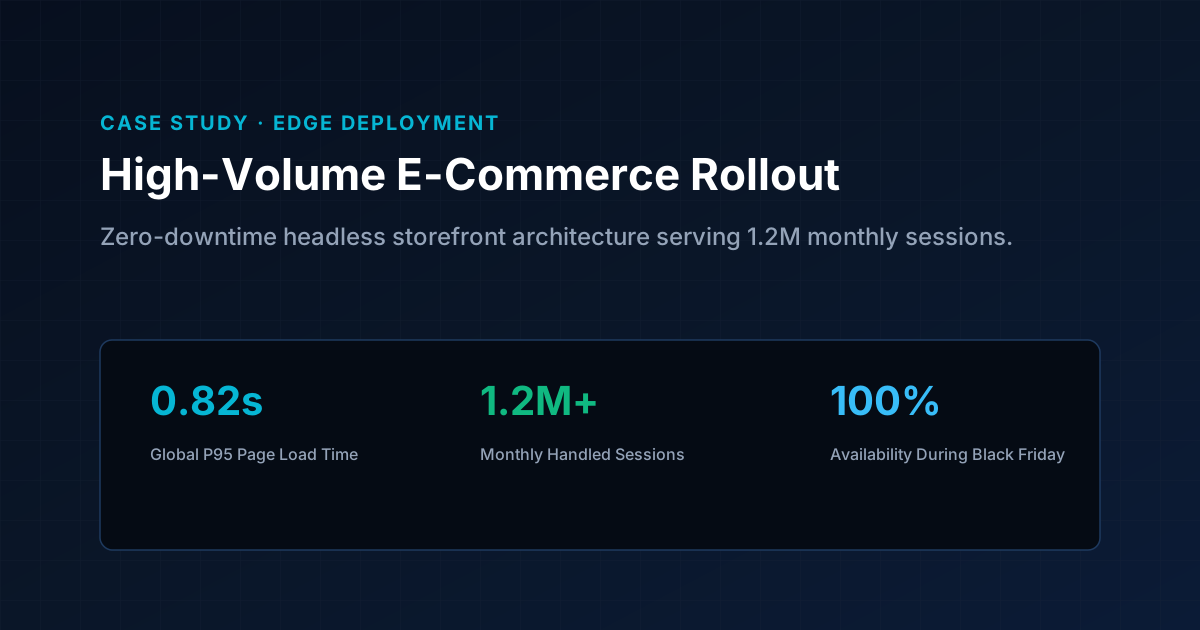
4. Database Connection Pooling in Next.js
A subtle performance killer in Next.js applications is how database connections are handled during server-side data fetching.
If you instantiate a new database connection on every single request or Server Action, your PostgreSQL server will quickly exhaust its connection pool and introduce 200–500ms latency spikes.
Always maintain a singleton connection client across hot reloads and serverless invocations:
// src/lib/db/client.ts
import { drizzle } from 'drizzle-orm/postgres-js';
import postgres from 'postgres';
import { env } from '@/lib/env';

const connectionString = env.DATABASE_URL;

// Re-use connection instance across requests
export const client = postgres(connectionString, {
  prepare: false,
  max: 10, // Maintain a constrained pool size
  idle_timeout: 20,
});

export const db = drizzle(client);
Summary
High performance is not something you sprinkle on top of a project right before launch. By keeping your client bundles minimal, preloading above-the-fold media, reserving image container aspect ratios, and using connection pooling, sub-second load times become the natural default.
Production Runbooks & Architecture Notes
Monthly technical dispatches covering Linux VPS hardening, strict DMARC deliverability, Next.js optimization, and cloud operations. Zero sales fluff.